PDA

View Full Version : Post your desktop!


adrian
December 1st, 2004, 03:15 PM
Here's how to do it:
1) Take a screenshot of your desktop using the "Print Screen" button (to the right of F12, usually shared with the insert key)
2) Paste it into an image program (like Paint for your windows users) and save it in jpg or png format
3) go to Imageshack (http://www.imageshack.us) and upload your picture.
4) copy and paste that url as shown url of image here
5) Result:
http://img.photobucket.com/albums/v457/hithreads/adridesktop.png

Show Hawaii and the world what you work with everyday!

808_m3
December 2nd, 2004, 08:44 AM
http://img115.exs.cx/img115/2803/09-desktop1.jpg

Yeah, a bit simple..no fancy desktop pictures. :D

mel
December 4th, 2004, 07:13 AM
Don't post full size desktop pictures because in time they will only slow this topic down and make it impossible for those on dial-up to even view the pictrures. Better to just do a link or something.

That said here is a thumbnail of my current desktop:

http://macpro.freeshell.org/misc/OSX-Desktop-s1.jpg

You can see a full size image at this link. (http://macpro.freeshell.org/misc/OSX-Desktop.jpg)

Here are a few more desktops (opens in offsite links) on my various Macs through the years:

Mac OSX with Apps Open (2003) (http://www.headgap.com/~macstar/images/OSX10-2screen.jpg)

Mac OS 9.2 on my Power Mac G4 (2003) (http://www.headgap.com/~macstar/images/os9-2.jpg) - I no longer use the Babylon 5 image, but still use OS 9.2 about 10% of the time on my dual booting G4.

Mac OS 8 on Powercenter 150 Macintosh clone (http://www.headgap.com/~macstar/images/pc150ss.jpg)

Mac System 7x on Centris 650 (http://www.headgap.com/~macstar/images/centris-dt.jpg)

System 6 on Mac Plus (2002) (http://www.headgap.com/~macstar/images/OS6-2.jpg) - Truly an oldies but a goodie that got me started on the Mac way, way back then....

BeOS on Powercenter 150 Mac clone (http://www.headgap.com/~macstar/images/bescreen1.gif) - This OS was an alternate to Mac OS during the years 1995 to 1997.

craigwatanabe
December 4th, 2004, 04:55 PM
I hope we don't get in trouble for hijacking bandwith doing this!

http://img63.exs.cx/img63/2017/c4zdesktopimage.png

My baby, a 1989 BMW 635CSI as shown at this past year's BMW Spring Fling at Hawaii Raceway Park before shipping it up here to terrorize the streets of Kea'au!

adrian
May 2nd, 2005, 08:04 PM
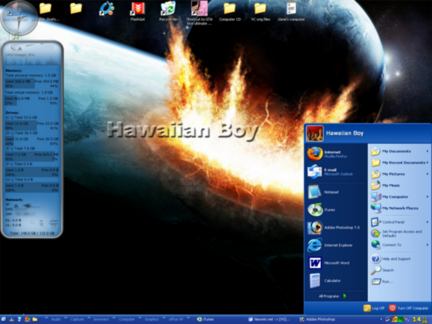
http://www.gameshot.us/userfiles/hawaiian%20boy/desktops/verysmall.png (http://www.gameshot.us/userfiles/hawaiian%20boy/desktops/maylarge.png)

1stwahine
May 3rd, 2005, 05:13 AM
Damn! Just like Mel said, I can't view pictures! Now I know why. In my case it comes out fuzzy but I can usually make our what it is. Thanks to you all for sharing. Mine looks to simple to post anyway.

easTTriver
May 3rd, 2005, 07:33 AM
sorry edited

DaveNSoKona
May 3rd, 2005, 08:49 AM
http://www.konamist.com/images/desktop2.jpg

I got this background at link (http://hubblesite.org/gallery/wallpaper/)

kimo55
May 3rd, 2005, 03:36 PM
these guys are on my desktop.
long load but worth it.

http://www.nata2.info/humor/movies/chin2.mpeg

http://seanism.com/files/chin3.mpg

1stwahine
May 3rd, 2005, 04:10 PM
these guys are on my desktop.
long load but worth it.

http://www.nata2.info/humor/movies/chin2.mpeg

http://seanism.com/files/chin3.mpg

I don't trust you anymore! I remember the other download you gave out. Naughty man.

kimo55
May 3rd, 2005, 04:19 PM
I don't trust you anymore! I remember the other download you gave out. Naughty man.

love your flexible standards.

hey; you don't know the chin, you don't know what you're missing.

1stwahine
May 3rd, 2005, 04:30 PM
love your flexible standards.

hey; you don't know the chin, you don't know what you're missing.


mahalo to your 1st statement. i am very flexible in every way.

on the second one, HAHAHAHAHAHAHAHAHAHAHAHAHAHAHAHAHAHAHA

das funny dude! ! :D :eek: :eek: