View Full Version : Help with Avatars
hitech redneck
June 5th, 2005, 08:59 PM
I am wondering how to put an small JPG or BMP picture into the Avatar. I have tried before to put a picture in following the instructions and receive an error msg every time. I have reduced them to the required 70x70 requirment and still no joy. If anyone can help I would gladly appriciate the advice. :D
admin
June 6th, 2005, 04:11 PM
What error are you receiving? PM me the details. If all else fails, we can get your avatar hosted, and you can have it linked via URL rather than upload.
Menehune Man
May 7th, 2006, 05:14 PM
I liked my last avatar, but it seemed like it came from another lifetime so I'll go with this one, till the winds change. :rolleyes:
koloagirl
May 21st, 2006, 11:45 AM
I too am confused about how to add a picture to an Avatar. I have a Photobucket account which is where I usually take pictures from (copy) and
insert them where I need to (paste) -- but when I do this on the profile section where it asks for the picture, I get an error message saying that the
URL isn't good.
I know I'm technically challenged, I was pretty proud just to figure out the
Photobucket thing! Can I use this for my Avatar? Or do I need to do something else? :confused:
Sorry for being dumb! Mahalo plenty for your help! :o
Janet
kaneohegirl
May 21st, 2006, 12:01 PM
you dont need to use photobucket you can upload a pic for your avatar straight from your comp...its the second option
you need to have a jpg that is 70 by 70 pixels or 25.0 KB (whichever is smaller).
so try uploading it straight from your comp...
adrian
May 21st, 2006, 12:05 PM
I too am confused about how to add a picture to an Avatar. I have a Photobucket account which is where I usually take pictures from (copy) and
insert them where I need to (paste) -- but when I do this on the profile section where it asks for the picture, I get an error message saying that the
URL isn't good.
I know I'm technically challenged, I was pretty proud just to figure out the
Photobucket thing! Can I use this for my Avatar? Or do I need to do something else? :confused:
Sorry for being dumb! Mahalo plenty for your help! :o
Janet
At your photobucket account, find your picture you want, and under it, it has three text boxes. Find the one that says "URL" (the top one) and highlight all of the letters in there. Press the control key (ctrl) together with the letter C and go to the user CP on the top of this website. Then on the left hand side, select "edit avatar", then find where it says "custom avatar". Under there, find the "enter avatar URL" and in the text box, click in there and press control (ctrl) and V, then the address will be pasted in there. Click on save changes, and to see your new avatar, just revisit your old threads that you already posted in (no need to make a new thread to test 'um.)
Ronin
June 6th, 2006, 02:51 PM
Okay...my first post (2nd actually but not counting my introduction) and I hope this helps those who want to make their own avatar. I use a program called IrfanView which you can get for free at places like download.com. Good program because it lets you edit and resize pix. It will keep everything in aspect so all you have to do is type in the number you want to change the pic to (such as 70x70) and presto....it resizes it for ya. Then all you do is save the pic and then upload here for your avatar.
You can also use it to do batch conversions (change from .BMP to .JPG) or batch name changes. Lots of other great features but I won't go into them now. If you get it, just play around with it and you'll see how useful it can be.
Hope that is helpful...for a first post. :)
Pedro
June 7th, 2006, 10:21 PM
I liked my last avatar, but it seemed like it came from another lifetime so I'll go with this one, till the winds change. :rolleyes:
I hear what you're saying. I like mines because it seems that's all I am doing is typing whether on this forum or others or talking smack on the chat rooms. :rolleyes:
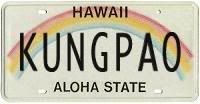
Kungpao
September 28th, 2006, 09:17 AM
I apologize for wasting space with this thread but is there a reason I can't put this url for my avatar?
http://i7.photobucket.com/albums/y252/kungpao/license-KUNGPAO.jpg
It's a photobucket picture. Thanks anyone!
http://i7.photobucket.com/albums/y252/kungpao/license-KUNGPAO.jpg
Glen Miyashiro
September 28th, 2006, 09:18 AM
It's too big. You need to resize it, I think to 60x60 pixels. Or was it 75x75?
Edit: Aha. It's 70x70:
Note: The maximum size of your custom image is 70 by 70 pixels or 25.0 KB (whichever is smaller). (link (http://www.hawaiithreads.com/profile.php?do=editavatar) )
Kungpao
September 28th, 2006, 09:31 AM
ahh, ok... but the error i get is that it's an invalid link? I thought the 70X70 thing was for uploading an avatar to save space....
vBulletin® v3.7.0, Copyright ©2000-2008, Jelsoft Enterprises Ltd.